
Connecting Claude to Outlook: A Step-by-Step Guide
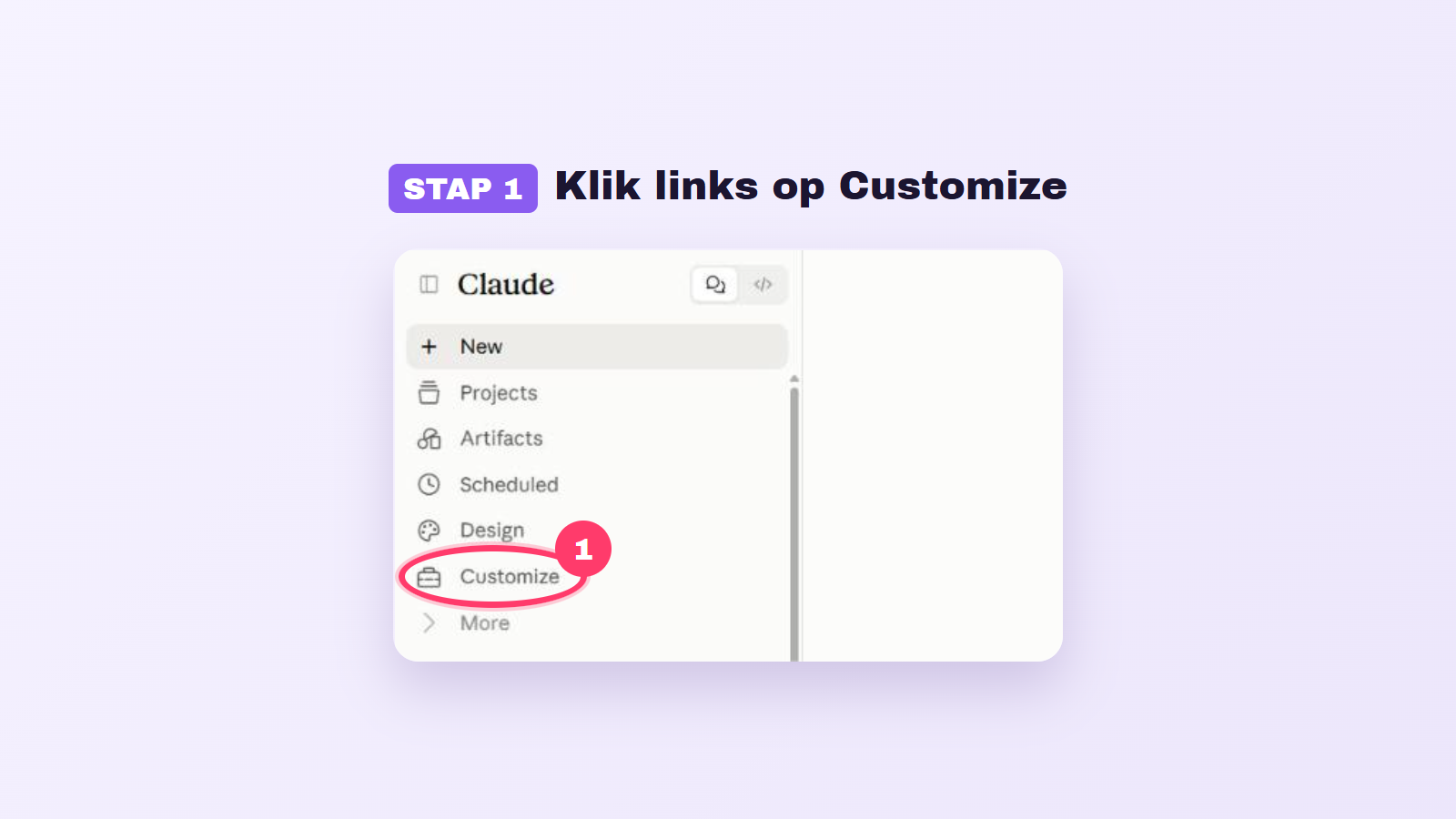
Connecting Claude to Outlook allows users to manage their email more efficiently and access their calendar. With this integration, Claude can search emails, read calendar information, and summarize long email exchanges. For a successful connection, users must have both a Claude account and a Microsoft 365 account obtained through work or school. Using personal Outlook accounts is not possible, and approval from an IT administrator is required for the connection.
To successfully connect Claude to Outlook, you will follow a simple step-by-step guide. This starts with opening Claude and navigating to the 'Customizations' option. Next, you select the Microsoft 365 connector. After clicking 'Connect to Claude', you must log in with your work account and approve that Claude can access your data. The final step involves enabling the connector in a new chat, allowing Claude to use your email and calendar.
Once the connection is complete, Claude can easily answer questions, such as summarizing emails or providing information about your calendar. This functionality allows users to communicate with Claude in plain language, enhancing productivity. However, some users may encounter issues with the connection, often because they are trying to connect a personal account or because the IT administrator has not yet granted access. It is essential to ensure that you are using the correct account and that the necessary approvals have been granted.
If you are working with a Claude Team or Enterprise account, additional steps are required. The owner of the Claude environment must first add Microsoft 365 to the organization settings, after which users can make the connection themselves. This system ensures that only the correct accounts and administrators have access to these advanced features, contributing to the security and effectiveness of the integration.
Read the full article from AI Insider.
Gerelateerde artikelen

Automation of Paperwork in Times of Grief
LumenUs, an innovative platform founded by Sara Tashakorinia, aims to alleviate the administrative burden associated with the death of a loved one. The founder describes the heart-wrenching moment whe...

Tech Festival
09 October 2026
Amazon and Microsoft break confidentiality over data center deals
Amazon has announced that it will stop using non-disclosure agreements (NDAs) during negotiations over data center deals with local governments. This follows a similar move by Microsoft earlier this y...
Tech Festival
09 October 2026
Danu Robotics and the fight for better recycling robots
Danu Robotics, founded by Amy Ma, has been active for six years in the development of advanced technology for sorting recyclable waste. This young company aims to bring a significant improvement to th...
Tech Festival
09 October 2026